
Google Ads for Beginners: Simple Guide to Run High-ROI Campaigns
If you’re new to paid advertising, Google Ads can feel overwhelming. There are so many terms, settings, and strategies that beginners often get confused about where to start. That’s why this guide — Google Ads for Beginners: Simple Guide to Run High-ROI Campaigns — is designed to make everything simple, clear, and practical so you can run profitable campaigns even with zero experience.
Google Ads is one of the most powerful ways to bring instant traffic, leads, and sales to any business. Unlike SEO, which takes time, Google Ads can show your business on Page 1 of Google within minutes. If you learn the right strategy, you can turn a small budget into strong conversions.
What Is Google Ads and Why Should Beginners Learn It?
Google Ads is an online advertising platform where you pay to show your website or product to people who are already searching for it. For example:
-
Someone searches “best digital marketing course in Noida”
-
Someone searches “buy running shoes online”
-
Someone searches “plumber near me”
Your ad appears instantly if your campaign is set correctly.
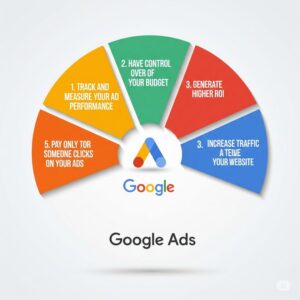
For beginners, understanding Google Ads is important because:
-
You get quick results
-
You can control your daily budget
-
You target the exact audience
-
You measure every click and conversion
-
You learn how online traffic really works
This is why guides like Google Ads for Beginners: Simple Guide to Run High-ROI Campaigns are essential.
Types of Google Ads Campaigns Beginners Should Know
Google Ads offers many formats, but as a beginner, these four are the most important:
1. Search Ads
These are text ads that appear on Google search results. They are best for leads and high-intent customers.
2. Display Ads
Image-based ads shown on websites, apps, and YouTube. Good for branding and retargeting.
3. Video Ads
Ads shown on YouTube videos. Useful for awareness and brand reach.
4. Performance Max (PMax)
A powerful new campaign type that runs across all Google platforms automatically.
When learning Google Ads for Beginners: Simple Guide to Run High-ROI Campaigns, focus first on Search Ads because they bring the highest-quality leads.
This is why guides like Google Ads for Beginners: Simple Guide to Run High-ROI Campaigns are essential.
How to Do Keyword Research for Google Ads
Keyword research determines who will see your ads. Beginners should start with:
1. Intent-Based Keywords
Keywords that show buyers are ready to take action.
Example:
-
“Best SEO service in Noida”
-
“Buy running shoes online”
-
“Digital marketing course fees”
2. Long-Tail Keywords
Longer, more specific keywords with less competition.
Example:
-
“affordable digital marketing course for beginners”
-
“best graphic design tools for students”
3. Branded Keywords
Keywords that include your brand name.
Example:
-
“Digital Campus Academy course fees”
This step is one of the most important parts of Google Ads for Beginners: Simple Guide to Run High-ROI Campaigns because strong keyword research lowers your cost and increases conversions.
This is why guides like Google Ads for Beginners: Simple Guide to Run High-ROI Campaigns are essential.
Setting Up Your First Google Ads Campaign (Beginner-Friendly Steps)
Here’s the simplest method to run a high-ROI campaign:
Step 1: Create Your Google Ads Account
Use your Gmail ID → ads.google.com → “New Campaign”.
Step 2: Choose the Goal
For beginners, choose:
-
Leads
-
Website traffic
-
Sales
These goals simplify your settings.
Step 3: Select “Search Campaign”
This helps you target people actively searching for your service.
Step 4: Add Your Target Locations
Target cities or countries.
Example:
-
“Noida”
-
“Delhi NCR”
-
“India”
Avoid worldwide targeting unless needed.
Step 5: Add Keywords
Use a mix of:
-
Exact match
-
Phrase match
-
Broad match (use carefully)
Step 6: Write Your Ad Copy
Your ad should include:
-
Your main keyword
-
Benefits
-
Offer
-
CTA (Call to Action)
Example:
“Join the Best Digital Marketing Course in Noida | 100% Practical Training | Enroll Now”
This is why guides like Google Ads for Beginners: Simple Guide to Run High-ROI Campaigns are essential.
Step 7: Set Budget and Bidding
For beginners:
-
Budget: ₹200–₹500/day
-
Bidding: “Maximize clicks” initially
After you get data, switch to conversions.
Step 8: Add Extensions
Extensions increase visibility and click-through rate. Use:
-
Call extension
-
Sitelink extension
-
Location extension
-
Callout extension
This is a key part of Google Ads for Beginners: Simple Guide to Run High-ROI Campaigns because extensions improve ad quality.
This is why guides like Google Ads for Beginners: Simple Guide to Run High-ROI Campaigns are essential.
How to Optimize Your Google Ads for Better ROI

Running ads is easy — optimizing them is what brings high ROI.
1. Pause Non-Performing Keywords
If a keyword gets many clicks but no conversions, pause it.
2. Add Negative Keywords
These prevent irrelevant clicks.
Example:
If you sell paid courses, add negatives like:
-
free
-
cheap
-
download
3. Improve Ad Quality Score
Quality score increases rank and reduces cost. Improve by:
-
Writing relevant ads
-
Adding keywords to landing pages
-
Improving page speed
4. Track Conversions
Use Google Analytics or conversion tracking to see what actually brings leads.
5. Test Different Ad Copies
Small changes can increase result:
-
Headlines
-
Descriptions
-
Call-to-actions
Following these tips ensures you truly follow Google Ads for Beginners: Simple Guide to Run High-ROI Campaigns the right way.
This is why guides like Google Ads for Beginners: Simple Guide to Run High-ROI Campaigns are essential.
Common Mistakes Beginners Should Avoid
Many beginners lose money because of simple mistakes:
-
Using broad match keywords without control
-
Targeting too many locations
-
Sending traffic to a poor landing page
-
Not using negative keywords
-
Not tracking conversions
-
Having unclear ad copies
Avoiding these mistakes is essential for anyone learning Google Ads for Beginners: Simple Guide to Run High-ROI Campaigns.
This is why guides like Google Ads for Beginners: Simple Guide to Run High-ROI Campaigns are essential.
Final Thoughts
Running Google Ads doesn’t have to be complicated. With the right strategy, even beginners can launch profitable campaigns. Whether you want to promote services, generate leads, or grow a business, this guide — Google Ads for Beginners: Simple Guide to Run High-ROI Campaigns — helps you build a strong foundation and avoid costly errors.
When you understand keywords, write compelling ads, and keep optimizing, you can quickly improve your ROI and grow confidently in the digital marketing world. High-performing campaigns come from consistency, testing, and smart decision-making.
